Call Anytime

0800 208 8456

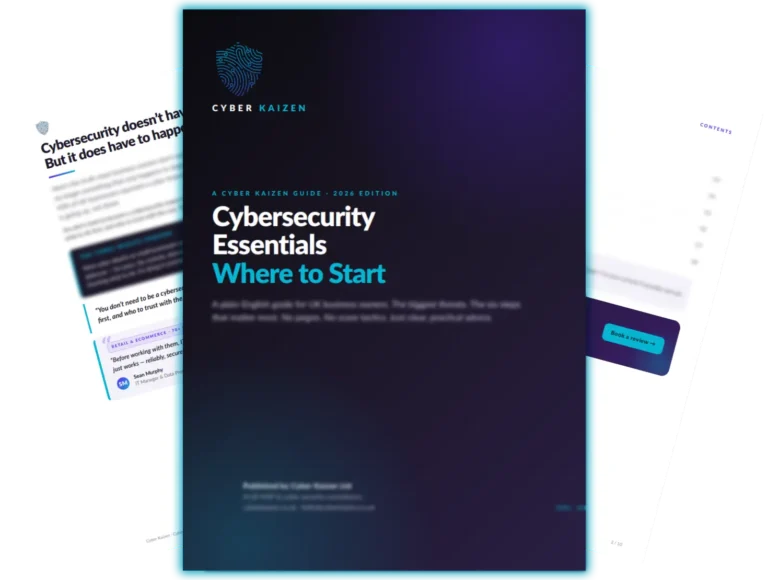
Cybersecurity Essentials: Where to Start

Cybersecurity Doesn't Have to Be Complicated But It Does Have to Happen

Here’s the truth most business owners don’t want to hear: cybersecurity is no longer optional. It is no longer something that only happens to large corporations or government agencies. Last year, 47% of UK small and medium businesses reported a cyber breach or attack. That number is going up, not down.

But here’s the other truth: you don’t need to become a cybersecurity expert to protect your business. You don’t need to learn how firewalls work or memorise the difference between encryption types. You just need to know what matters, what to do first, and who to trust with the rest.

That’s what this guide is for.

This Is Not a Problem You Can Ignore

If you’ve ever thought “we’re too small to be a target,” you’re not alone. It’s the most common thing we hear from new clients. And unfortunately, it’s the exact reason small and medium businesses are being targeted more than ever.

Cybercriminals don’t go after small businesses because they’re interesting. They go after them because they’re easy. Larger companies have security teams, monitoring, and layers of protection. Most smaller businesses don’t – and attackers know it.

The numbers are hard to argue with:

Fact

47% of UK SMBs experienced a cyber breach or attack in the last 12 months

The average cost of a single incident is £8,460

83% of cyberattacks start with a phishing email

Ransomware attacks increased by 73% year on year

Source

DCMS Cyber Security Breaches Survey 2024
Verizon Data Breach Investigations Report 2024
SonicWall Cyber Threat Report 2024
The question isn’t whether your business will be targeted. It’s whether you’ll be ready when it happens.

Six Steps That Cover 90% of the Risk

Cybersecurity can feel overwhelming. The good news? You don’t need to do everything at once. These six steps, done properly, will protect your business from the vast majority of attacks.

Step 1: Multi-Factor Authentication (MFA)
What it is?
An extra step when logging in – usually a code sent to your phone – that proves it’s really you.
Even if someone steals your password, they can’t get in without that second step. It is the single most effective thing you can do to protect your business.
Turn on MFA for every business account. Start with email and Microsoft 365. Make it mandatory, not optional.
What it is?
Making sure your computers, phones, and software are running the latest versions with all security patches applied.
Most cyberattacks exploit known vulnerabilities – problems that have already been fixed by the software maker, but only if you’ve applied the update. Outdated software is like leaving your front door wide open.
Set up automatic updates wherever possible. For the rest, make sure someone is actively managing patches across every device in your business.
What it is?
Teaching your team how to spot phishing emails, suspicious links, and social engineering attempts.
Your employees are your first line of defence – and your biggest vulnerability. The most sophisticated security technology in the world won’t help if someone clicks a link in a fake invoice email.
Run security awareness training at least quarterly. Include simulated phishing exercises. Make it part of your onboarding process for new starters.
What it is?
Keeping secure copies of your important files so you can recover them if something goes wrong.
If you’re hit by ransomware, you have two options: pay the ransom (which doesn’t guarantee you’ll get your data back) or restore from a backup. The choice is easy – if you have a backup that works.
Back up your critical data regularly. Store copies in a separate, secure location. And most importantly – test your backups.

"A backup you've never tested is not a backup. It's a hope."

What it is?
Making sure each person in your business can only access the files and systems they need for their role. No more, no less.
If a single employee’s account is compromised, the damage is limited to what they had access to. If everyone has access to everything, a single breach exposes your entire business.
Review who has admin rights. Remove access for people who’ve left. Limit permissions to what’s genuinely needed. This is often overlooked – and it’s one of the easiest wins.

These six steps map directly to the SECUR IT Success Framework - the same model we use with every Cyber Kaizen client to build a layered, practical defence around their business.

What it is?
Setting up the technical controls that stop criminals from sending emails that look like they’re from your domain.
Email spoofing is one of the most common attack methods. Criminals send emails that appear to come from your CEO, your finance team, or your HR department – and trick recipients into transferring money, sharing passwords, or clicking malicious links.
Implement SPF, DKIM, and DMARC records for your domain. If that sounds like alphabet soup, don’t worry – a good IT provider can set this up in minutes. (We even have a free DMARC generator on our resources page.)

You Don't Have to Do All of This Yourself

If this guide has helped you understand where you stand, that’s a good start. But understanding the problem and fixing it are two different things.

Here's what we'd suggest:

Have a current IT provider?

If you have a current IT provider, ask them which of these six steps are already in place. If they can't give you a straight answer, that tells you something.

No provider or feeling stuck?

If you don't have an IT provider, or you know your current one isn't delivering, talk to us. We're not going to give you a hard sell. We're going to show you exactly where you stand, what needs fixing, and how much it would cost.

Find Out
Where You Actually Stand

Our free IT Health Check covers all of this – and more. We assess how well protected your business actually is, review your infrastructure, licensing, and compliance, then give you a clear, honest report within 48 hours.
No obligation. No sales pitch. Just the truth about your current setup – and a clear plan for what to do about it.

"Cyber Kaizen quickly uncovered cost savings our previous IT provider wouldn't - saving us over £18,000 a year while delivering far better service."


- Russ M

Prefer to learn live?

Join our next free webinar.

You Might Also Like

Microsoft 365 Security: 10 Essential Steps

Your business runs on Microsoft 365. Is it actually secure?

Download the Free Guide

Cyber Essentials: Everything You Need to Know

The UK government certification that's becoming impossible to ignore.

Download the Free Guide

Download the Free Guide

Fill the form below to download the guide